A few years ago, Sophia and I bought a Fujifilm X100VI and ever since then I've gone down the rabbit hole of shooting straight out of camera images. I realized I don't always want to sit behind a computer and edit every single image, thus I've been on the hunt for pleasing results without always needing to edit.
The irony is that before buying that camera, I shot with Canon my entire photography career. Actually, I still do! My first camera was a Canon 50D that I bought back in 2009 and most of the images in my portfolio were taken on Canon cameras. But those cameras have always been my workhorses. They're the ones with the bigger, bulkier lenses that I stick on a tripod for landscapes and shoot raw with the intention of editing later. They were never the fun cameras.
In recent years they've never been the cameras I throw around my neck for day to day images. But maybe they could be?
As it turns out, Canon has the ability to create looks similar to Nikon recipes or Fujifilm film simulations. The problem is there is so little information on the topic that I was genuinely confused. Nobody is talking about Canon recipes. So I spent the last couple of weeks shooting with Canon recipes on my Canon R7 to find out for myself.
Every image in this article is straight out of camera using a recipe I developed
Are Canon Recipes as Good as Fujifilm?
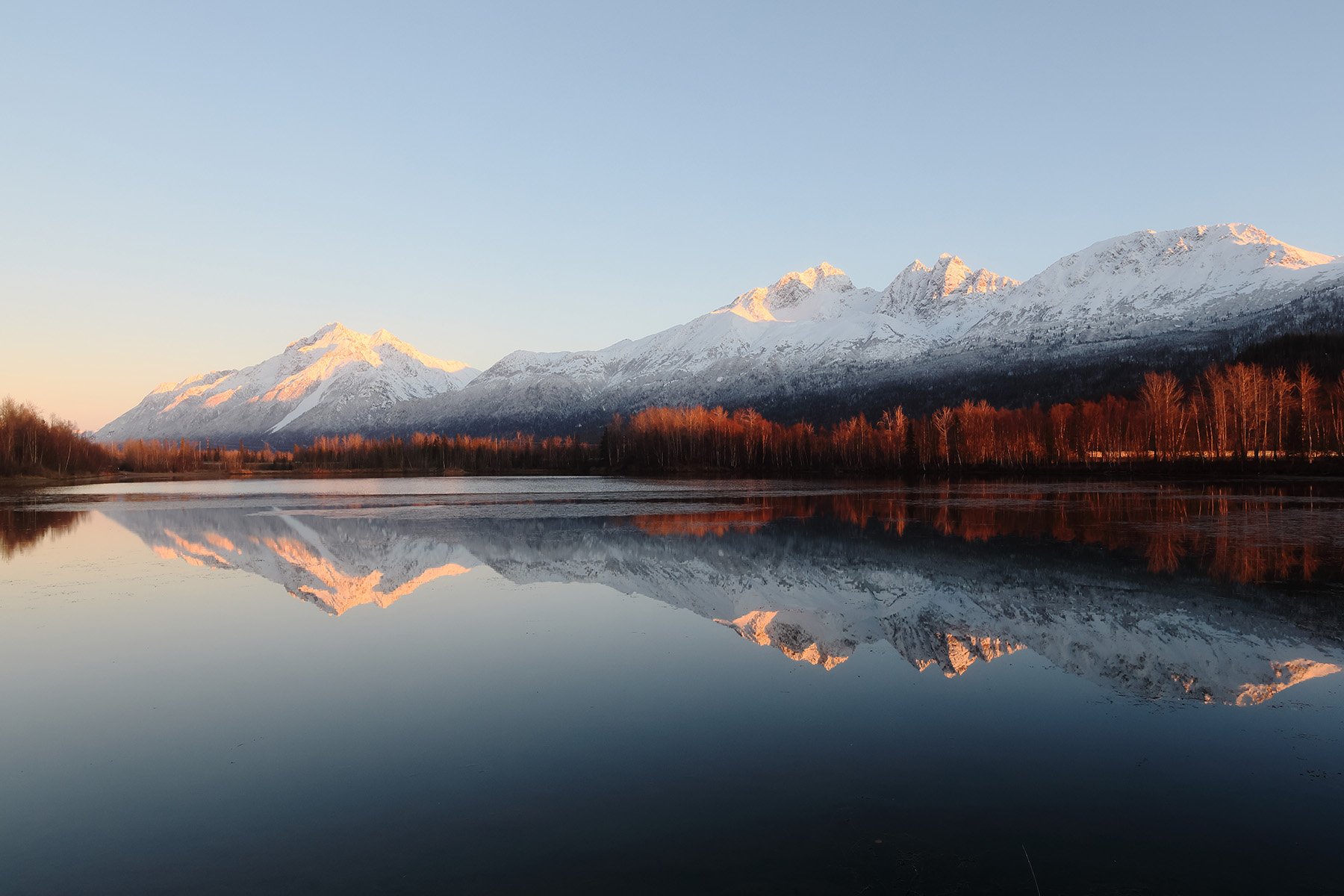
Canon R7 + My Canon “Gold” Recipe
Let's just get this question out of the way immediately. Are Canon recipes as good as something like Fuji's? No.
If there was a tier list, Fujifilm is still number one. There's just something about their film simulations as a starting point that gives the image a bit of magic, for lack of a better word. Neither Nikon nor Canon quite get the same results.
Ironically, I actually think Nikon gives us more flexibility to shape an image with their recipes. But because Fuji's film simulations are such a good foundation, the small tweaks Fuji allows get a bit closer to what I'm looking for straight out of camera. My personal opinion is that Fujifilm gives us one setting the others don’t and it’s what carries so much of the heavy lifting in their recipes, which we’ll talk about. First I think it’s worthwhile to understand what you can adjust within a Canon recipe.
What Can You Actually Adjust on Canon?
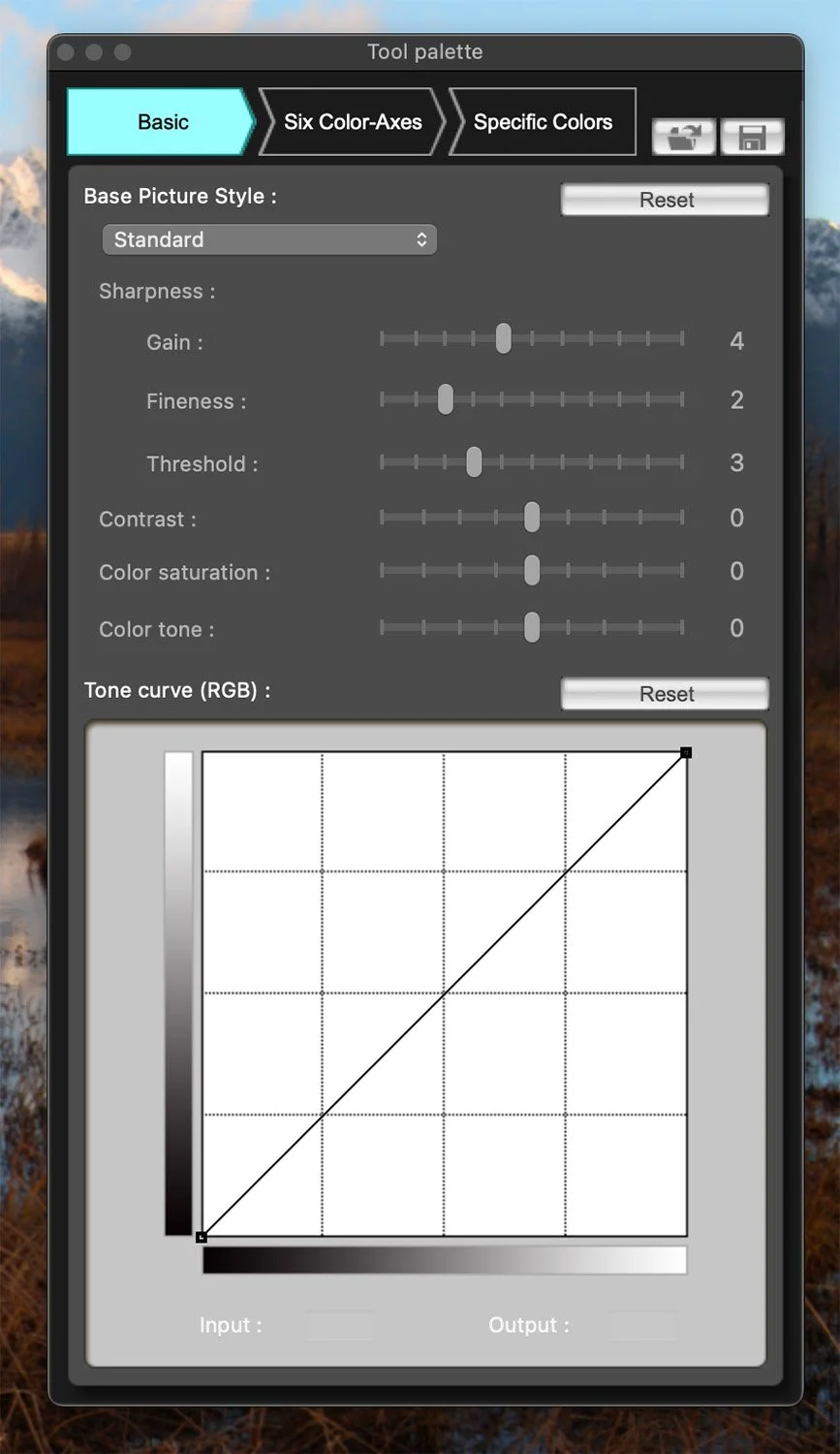
Canon's system (officially called Picture Styles) gives us similar things to Nikon's flexible color profiles, just a bit less. Here's what you can actually change:
Sharpness, contrast, saturation, and color tone - but only in a handful of steps rather than a full 0-100 type scale.
Tone curve - control your highlights and shadows. This is actually pretty reasonable and gives you more control than Fujifilm does because you get access to a true tone curve, not the simplified Fujifilm version.
HSL Colors - pick particular colors and shift their hue, saturation, and luminance similar to an HSL panel. You even get a little eyedropper to grab very specific colors or a range of colors, which gives you a bit more granularity than a typical HSL panel, however this gave me very mixed results to generate a recipe that works on a plethora of images.
What you don't get are things like clarity or grain, which both Nikon and Fuji offer. And of course, you don't get a foundational system like Fujifilm's film simulations to build on top of, but I don’t think thats the biggest difference.
The Missing Piece: White Balance
One of the things that really sets Fuji apart from both Nikon and Canon is that Fuji recipes save white balance into the recipe. This has a huge effect on the final image. If you lock in a warmer white balance like 6200 or 6500 Kelvin while shooting in daylight, even when the scene doesn't call for it, you get an image that just feels warmer and has a different aesthetic.
Nikon and Canon don't do that. Thus on Canon you have to go in and adjust white balance separately every time you switch recipes. Doable of course, but not something I want to be doing. Also, take it from my own experience that if you forget to change this when you switch recipes, you’ll end up with a lot of overly warm shots you didn’t realize you were taking.
Now to be fair, my favorite Fuji recipe is Reggie's Portra 400 (or a slight variation of it tuned to my liking) and that uses auto white balance because it works across a wide range of scenes. You don't always want your images too warm or too cool. Some of my favorite images on my Fuji cameras were taken with a locked-in white balance that I would never have chosen out in the field for those shots.
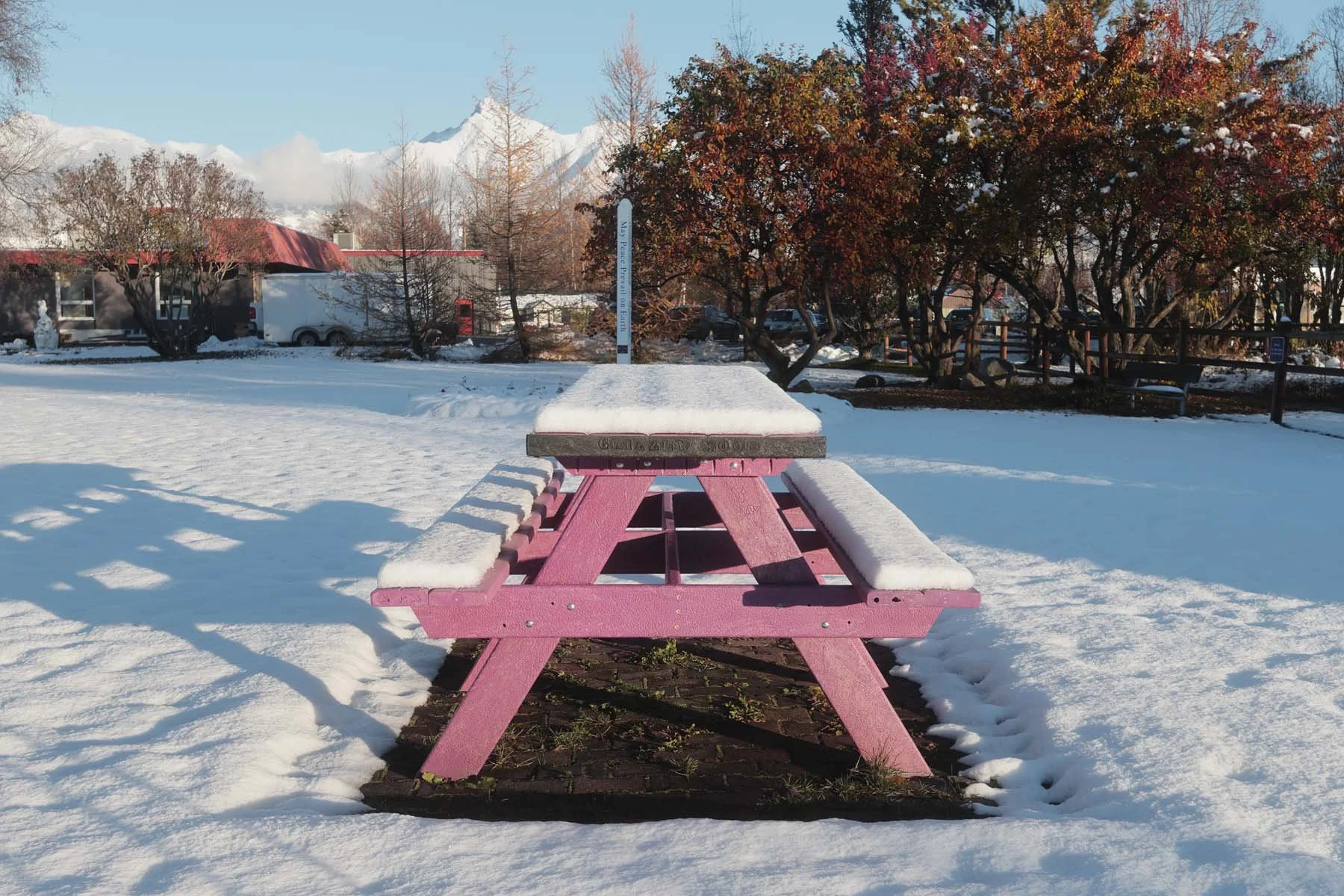
Canon R7 + My Canon “Lerxt” Recipe
Works on Nearly Every Modern Canon Camera
While you can't adjust as much on Canon's recipes, one real benefit is that because the system is so old, it works on a lot of older Canon cameras. Heck, I was able to load some of these recipes onto my Canon 6D, which was released in 2012.
In comparison, Nikon's flexible color profiles only work on a small list of recent cameras. Fuji recipes work on older bodies as long as the recipe uses settings that camera has, but as new Fujis have come out they've added more controls, so some recipes require those newer cameras. Canon's picture styles work on cameras so old that I couldn't even compile a list of which ones are supported. From my research they should work on any digital camera Canon has produced that support picture styles.
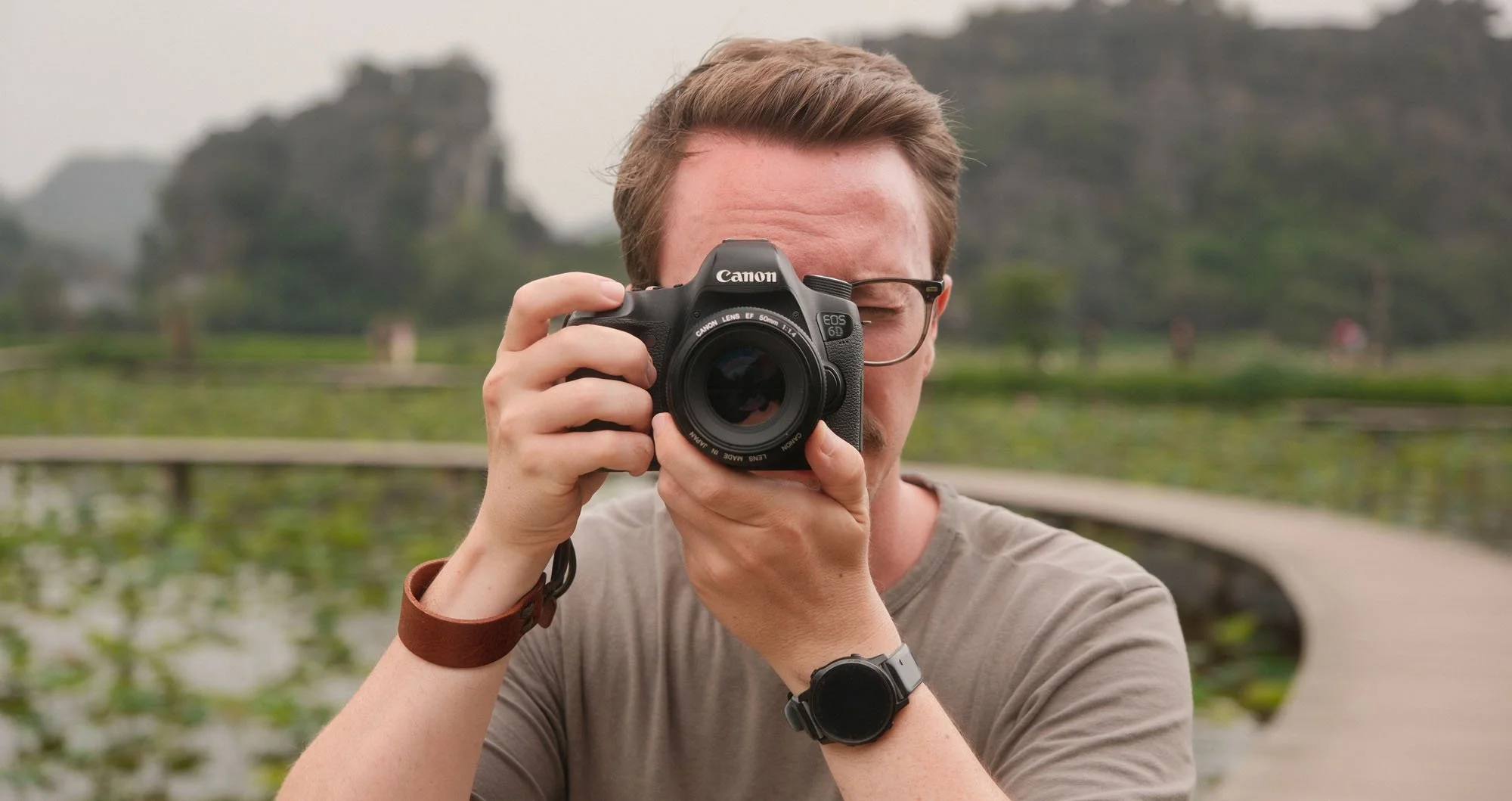
If you're interested in diving down this rabbit hole, there are basically two file types: PF2 and PF3. From what I've found, the "new" PF3 files (I say new, but they're not really that new) get a bit more control over sharpness and that's about it. They're also backwards compatible, so if you load a PF3 file onto an older camera it should still work, it just won't apply that particular setting. That's only what I've read online though. I couldn't test it myself because the oldest camera I have is the Canon 6D.
How I Built My Canon Recipes
If you want to create your own recipes, you'll be using Canon's very modern software, Picture Style Editor. This program looks like it's from 2006, but it's free and it's where you adjust all of the settings I mentioned above.
By the end of my journey I was really just trying to create a few recipes that matched my favorite Fuji recipes. I'd pull up the Fuji image next to the Canon image and tune the picture style until the colors matched. They'll never perfectly match, but I did my best and I really like the results.
One downside to Canon is that you can only have three custom recipes installed on your camera at once. That is a bit limiting and I do wish there was more room. But realistically 95% of the time I'm only using about three recipes anyways. Usually I find one I love and shoot most things with it.
If you want to figure out your favorites without loading recipes onto your camera, shooting, pulling the images off, and loading more, you can download another program. Yes, slightly annoying, but it's at least a bit more modern than Picture Style Editor. It's called Digital Photo Professional 4 (at the time of writing), and it's Canon's free raw editing software. It lets you apply picture styles to a raw image, thus if you had ten recipes on your computer you could preview all of them on your own images and decide which three deserve a spot on your camera.
After spending years shooting with Fujifilm and Nikon recipes, I decided to give Canon recipes a shot. I spent weeks developing these looks utilizing both my favorite Fujifilm and Nikon recipes as references. Thus these recreate modern “film simulation” recipes from within those camera systems.
Installs directly on your Canon camera - not a preset pack for editing in Lightroom or CaptureOne.
5 Unique picture styles to enhance your shooting experience right in camera, generating ascetically pleasing images without needing to edit.
Works on majority of modern Canon cameras (more info below)
Look I could fill this page with a bunch of selling points and buzzwords like “creates creamy warmth that exudes classic nostalgia looks,” or “takes your boring in camera raws to film-like hipster bliss.” While those are obviously true, the reality is these are great presets but they aren’t going to make your Canon images look like faded 1980’s film classics. Judge the results from the pictures I’ve provided here and enjoy the process but it’s still up to you to create the images - my recipe pack isn’t going to help you there.
Within this pack you’ll find 5 varied recipes that handle a myriad of different styles and conditions. You’ll find traditional names such as “P400,” “Velvia,” and “Gold.” Along with some random names such as “Lerxt” and “Pratt.” (if you know these references, you are my kinda people). Each recipe is unique rather than slight variations of the same style within this pack. For example one recipe tends to warm up the image with more golden saturation while another leaves the image muted and flatter. Thus you’ll find these to work in different scenarios and situations quite well.
All of these can be used with auto white balance but you may find better results setting to warmer white balances in many situations. For example, setting your white balance 500-700 Kelvin higher than what the conditions actually call for. If you don’t know what this means, that’s totally okay as these should work great with everything set to auto (all of my example images used auto white balance).
Below you’ll find a gallery of images, how to install these on to your Canon camera, and some frequently asked questions.
Canon Recipe Film Pack
If you're interested in trying the recipes I developed for this article and video, you can grab them here. My preference would have been to offer these as pay what you want, but Squarespace frustratingly doesn't allow this (and I'm not quite sure why). So I've set what I think is a reasonable price and you can decide if you want them or not.
If they don’t work or you absolutely hate them, just shoot me an email and I’ll take care of you. At the end of the day I just want people to enjoy their journey of photography and I hope this helps those Canon shooters out there.
Instructions on how to install them on your Canon camera are included.
Canon vs Fujifilm vs Nikon Comparison
So after a couple of weeks of shooting, what do I think? Honestly, they're better than I expected. But I also didn't really have any expectations because I didn't even know these existed until I started looking into it. Even then I couldn't find much telling me how they'd perform, which is exactly why I wanted to do this myself.
I wanted to do a quick side by side comparison of the Canon to my Fujifilm X-E5 and my Nikon Zf (these were actually shot on the Z5IIc but it’s the same camera) I'm not going to dive too deep into which recipe I was using on the Fuji or the Nikon. This is more about the aesthetics and seeing what you can get away with on Canon compared to other systems.
Canon
Fujifilm
Nikon
The Nikon recipe here feels a bit more orange and a tad more green, whereas the Canon and Fuji both lean a bit more magenta with less saturation. Put the Canon right next to the Fuji and they're actually pretty similar in this case. That said, if I applied these same recipes to a different scene they wouldn't necessarily land this close. You'll also notice grain in the Fuji image once you zoom in, which isn't an option on Canon. Overall I really like the Canon result here, although the golden light and blue hues in the background as the sun was setting made it a bit easy.
Canon (adjusted WB + exposure)
Fujifilm
What's worth paying attention to is the hue and saturation of the blue in the sky. These are things you can manipulate in Picture Style Editor and you can get pretty close to some of the blues in Fuji's color science, but it doesn't always translate one to one on every image. If I could lock white balance into the Canon recipe in the field, I think it would land a lot closer. I really believe a lot of the magic in Fuji recipes comes from locking in white balance and white balance shift, which you just can't do on Nikon or Canon.
Canon + My Lerxt Recipe
Nikon
Nikon almost always has more saturated greens regardless of what I do (any Nikon user will tell you their greens just render differently) and you can see the white balance leans green on the Nikon image. Once again, if we could put white balance into these recipes we could lock that in a bit better. But alas, we cannot.
Canon + My P400 Recipe
Nikon
The focal lengths are a bit different here because the Nikon had a fixed lens, but overall these match pretty well. A bit more blue in the Canon, slightly less accurate on the Nikon. The Canon was using my Portra 400 variant, and it's a good example of the kind of nice images you can come away with using Canon recipes.
A Quick Tip: Turn Off High ISO Noise Reduction
One thing I noticed is that even when the ISO isn't pushed very high (say 400 to 800), the noise reduction on in camera JPEGs can be pretty aggressive. This is probably a setting I should have turned off at the time, but I've never worried about it because I've always shot raw. If you plan on shooting JPEGs with these recipes, turn off or at least lower High ISO Speed Noise Reduction in your Canon's menu.
Who Are Canon Recipes For?
Overall, Canon recipes are outdated, which is probably obvious based on the software used to create them. But the results are better than I expected. They lag behind Nikon, who has recently put real effort into their recipe system and they won't get you exactly to Fujiflm's level. But you can at least get the colors closeish.
I think this is for someone who already owns a Canon camera and wants to dabble in straight out of camera images they might actually enjoy. It's free, doesn't cost you anything, and probably works on the Canon you already own. Like I said, I couldn't find a definitive list, but it does seem to work on cameras over ten years old at this point.
All that being said, I wouldn't tell you to go out and buy a Canon for this feature. That's very different than both Nikon and Fujifilm, where I've actually recommended buying those cameras because of their recipes and film simulations, and more importantly because of the support they continue to give them.
Canon R7 + My Canon “P400” Recipe
TLDR
Canon recipes (Picture Styles) exist but they're not on the level of Fujifilm or Nikon. Still fun to use and tinker with though.
You can adjust sharpness, contrast, saturation, color tone, full tone curve, and specific colors, but there's no clarity, grain, or white balance saved in the recipe
The software is outdated, but the upside is it works on a huge range of older Canon cameras (basically all of them?)
You only get 3 recipe slots
If you already own a Canon, absolutely give these a try. I just wouldn't recommend a Canon for their current implementation.
Have you tried these yet or any you’ve found online? If you end up grabbing mine, I’d like to know what you think as well!
Thanks for reading - normally this is where I’d say a bunch of ways to support me, but for post I’ll just share the recipe pack as the best way to both support me and get something for yourself: Canon Film Recipe Pack.